Simple Markup: Easy on the Eyes

Recently I’ve been exploring some of the new features in Office 2013. While there doesn’t seem to be a whole lot of major upgrades to the Office Suite, there are a few changes that I really do like. One thing in particular is the Simple Markup enhancement to the Track Changes feature in Word.

If you’ve previously used Track Changes, you know that just opening your document can cause stress, let alone try to collaborate easily in it.

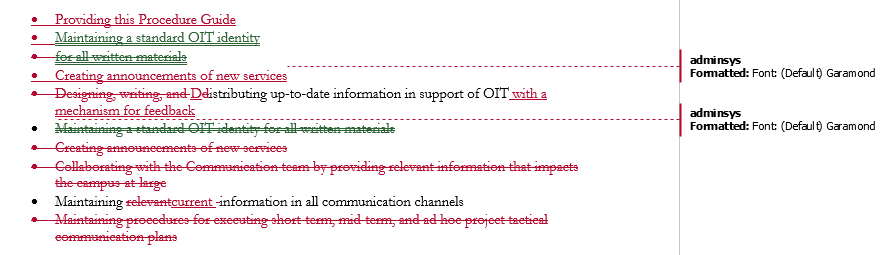
Here’s a snapshot of a document I recently worked on in Word 2010.  And, boy is that red text seriously making my blood pressure rise!Markup Capture
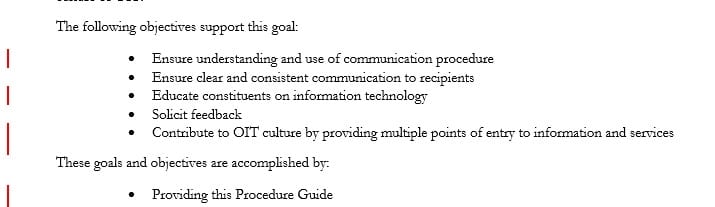
Take a look at the same document in 2013. I can actually read it easily when I first open it. If I want to dig in deeper and look at what was changed, I can. The document still opens with Track Changes on but by default will display in the Simple Markup view. Changes that were previously made are indicated by the red bars on the left. If you click on a bar, you’ll still see the markup. This new format definitely makes it much easier on the eye.2013 track changes
This is just one of a variety of new features I’ve been toying with.  If you’d be interested in taking a tour of what’s new in Office 2013, consider joining me in one of my upcoming webinars, and I’ll show you a whole lot more!

The Cloud is Rolling In

adobe-storm-cloudsI can hear the thunder. Adobe Creative Cloud is almost here! This fall we will be updating from Adobe CS6 to the most current CC (Creative Cloud). Aside from getting the most updated version of Creative Suite, SMU machines also get a host of other goodies, like Muse, After Effects, and Premier Pro.

While all of us designers eagerly anticipate all the new tools that will come along with the update later this fall, we’ve put together our second Adobe Tech Day on September 25 from 9 a.m. – 12 p.m. in the Hughes Trigg Forum. Continue reading The Cloud is Rolling In

Introducing IT Connect

Welcome to IT Connect, the official blog of OIT! We hope you’ll take time to follow our blog for the latest information on SMU’s IT services, tech training, and other news in the world of technology.  Keep an eye out for our regular updates including tech tips, such as useful suggestions on how to keep from drowning in your inbox, Excel shortcuts, or InDesign secrets. In a nutshell, our goal is provide you with helpful information that will help you succeed with technology. Check back often and subscribe to our RSS feed.  We promise to make it worth your time.
